QR Code
With Your Logo
Branded QR codes aren't just about aesthetics—they build trust. Learn the technical requirements for integrating your brand identity into scan-ready codes that drive 40% higher engagement.
The Brand Advantage
Reduce Scan-Anxiety
Anonymous black-and-white squares can look suspicious. A logo instantly verifies the destination, making users feel secure before they ever tap the link.
Higher Conversion
Marketing assets with integrated branding perform significantly better. A logo anchors the design, transforming the QR from a technical tool into a marketing asset.
Visual Cohesion
Custom colors and central logos allow the QR code to blend seamlessly with your brand palette, rather than clashing with your high-end design.
The Branding Workflow
Follow these technical standards to ensure your logo integration doesn't compromise scan reliability.
Automated High Error Correction
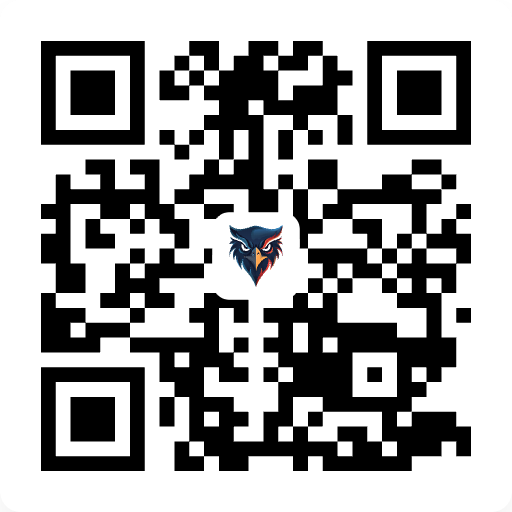
When you upload a logo, Symbolify automatically upgrades your QR code to Level H (30%) Error Correction. This technical standard ensures that even with a central logo, the underlying data remains robust and scan-ready across all mobile devices.
Anchor Logo in the Safe Zone
Always place your logo in the absolute center of the pattern. Avoid overlapping the three large "Positioning Squares" in the corners. These squares are the "eyes" of the scanner; if they are obstructed, the smartphone will be unable to orient the code.
Maintain Contrast & Quiet Zones
Ensure your logo has a slight border (buffer) between it and the QR modules. Additionally, verify that your brand colors maintain a high contrast ratio against the background. A dark logo on dark QR dots can confuse older image sensors and slow down the scan.
The Science of
Error Correction
QR codes use Reed-Solomon Error Correction to remain functional even if part of the code is damaged or obscured. When you add a logo, you are technically "damaging" the pattern.
Level L (7%): Not recommended for logos. Very clean, but breaks easily.
Level H (30%): The Gold Standard for Branded QR Codes. Allows up to 30% data loss while maintaining scan-readiness.
Pro Branding Checklist
Avoid common pitfalls that break scan-reliability.
Set Level H Error Correction
Symbolify automatically scales your logo and adjusts the pattern density to support Level H correction. This ensures that even with a large central logo, the "Reed-Solomon" algorithm can reconstruct the lost data in milliseconds.
Respect the Positioning Squares
Smartphone cameras use the three large squares in the corners to orient themselves. Never place your logo over these areas. Keep your branding centered to maintain alignment integrity.
Transparency & Vector Assets
For the best results, use a transparent SVG or high-res PNG. This avoids the "white box" effect and allows your logo to appear integrated within the QR modules.
Ready to Brand?
Create a high-resolution, vector-ready QR code with your corporate logo in seconds. Professional, permanent, and 100% free.
Generate Branded QR